Typing Test
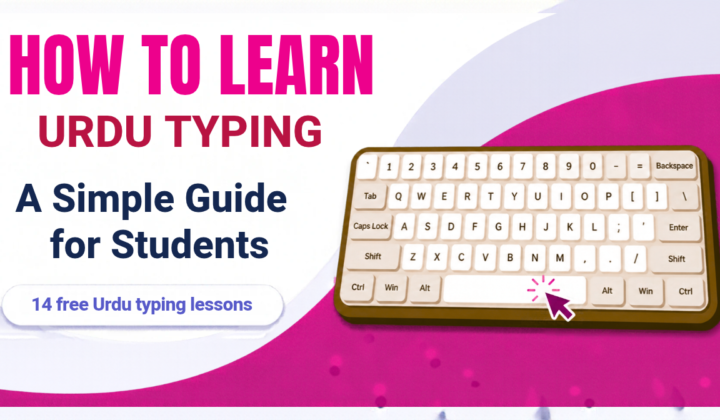
How to Learn Urdu Typing: A Simple Guide for Students
Urdu is written from right to left, and its letters change shape when they join each other. That can make Urdu typing look hard at first.…
Take a 60-second test, see which fingers make the mistakes, and get a custom drill built from your own weak keys.
Games are not available for this language yet.
Click the text and start typing — the timer begins on your first key.
Tip: switch your device keyboard to this language before you start typing.
Tip:
🎓 You qualify for a certificate! Get your certificate
Every result feeds the next lesson - no guessing what to practise.
Average WPM over your recent weeks
Take a test to see your progress here.
Today: …
Right-to-left scripts like Urdu and Arabic are supported
If your speed is below 30 WPM, practise the Typing Master lessons right here on studenttypingtest.com. You do not need any offline software any more.
Start Typing Master lessonsThree simple steps- no sign-up needed to start.
Choose 15, 30, 60 or 120 seconds, or a set number of words. We measure speed (WPM), accuracy and consistency as you type.
Your result shows weak keys, common mistakes and which fingers need work, with a plain-language explanation of each number.
Get a personal drill built from your own mistakes, then track your progress as the weeks go by.
From first-time typists to students preparing for exams.
Original articles written for students and teachers.
Urdu is written from right to left, and its letters change shape when they join each other. That can make Urdu typing look hard at first.…
A typing test shows how fast and how correctly you type on a keyboard. Many schools use it in the computer class and many job tests…
Most Students type with two or three fingers and look at the keyboard all the time. It works but it is slow. In this Tips you…
Four levels, each with lessons and tests.
The fastest students on our course. Log in to put your own name here.
No results yet. Pass a course lesson while logged in to be the first on the ranking.
Quick answers about WPM, accuracy, privacy and more.
We count every 5 correct characters as one word and divide by the minutes you typed. Raw WPM counts all characters, including mistakes.
Yes. Tests, lessons and progress tracking are free. We may show a few ads to cover hosting costs.
No. You can take unlimited tests without signing up. An account saves your results across devices and lets you join the WPM Ranking, share your result and get certificates.
Most adults type 35–45 WPM. 50–60 WPM is a solid goal for students, and above 75 WPM is excellent. Accuracy above 95% matters as much as speed.
Start with the Typing Master lessons on this site. They teach the home row, every finger and every key step by step, and you do not need to install any offline software. Practise 15 minutes a day and most students pass 30 WPM within a few weeks.
WPM is words per minute, where one word is 5 characters. CPM is characters per minute. Multiply your WPM by 5 to get your CPM.
Raw speed counts everything you typed. Your final WPM only counts the correct characters. Accuracy is the share of correct keystrokes. Type slowly and correctly first, speed comes later.
Most beginners learn the whole keyboard in 2 to 4 weeks with 15 to 30 minutes of daily practice. Reaching 40 WPM usually takes 1 to 3 months.
Rest your fingers on the home row: A S D F for the left hand and J K L ; for the right hand, thumbs on the space bar. The Typing Master lessons show the finger for each key on the on-screen keyboard.
Try not to. Looking down slows you down and stops muscle memory from forming. Use the on-screen keyboard and the hands guide at first, then switch them off when you feel ready.
Yes. Pick your language in the test bar. Typing tests, the Typing Master lessons and names are available in many languages, each with its own keyboard layout.
Yes. Use the Names test to type your own name, or paste any text into a custom lesson. This is a good way to practise words you use every day.
Log in (or sign in with Google), choose your country and pass a Typing Master lesson. Your best speed for each lesson and language is added to the ranking with your name.
Sharing and the ranking need an account so that every name is real and results cannot be faked. Tests, lessons and games stay free for everyone without logging in.
We only store what you choose to save: your results and your account name. We do not sell your data. Read our Privacy Policy for the details.
Yes. The test works on phones and tablets, although a physical keyboard gives the most accurate practice and a fair WPM score.
Yes. Students log in, and teachers can open the report page to see every student's tests, best speed and accuracy, and export it as a CSV file.
Yes. Falling Words, Word Rush and Letter Rain train speed and accuracy while you play, and the Kids section has big letters and short words for children.
Yes. When you reach the speed and accuracy goals, you can print a certificate with a verification code that anyone can check on the site.
Speed depends on the words, your focus and how warm your fingers are. Look at the average of several tests and your progress chart instead of a single result.
Take the free 60-second test and get your personal practice plan.
Start the test